Louper Updates - Version Stacks, Link Analytics and PDF Downloads!
Louper Updates - Version Stacks, Link Analytics and PDF Downloads!
Our latest improvements offer better ways to manage versions of a file, address feedback on links, and assess how clients and collaborators have engaged with your content.
When we first launched Louper it was purely a streaming platform for post-production, built so creative teams could continue running review sessions while working remotely. Since then, we’ve expanded Louper to support much more of the creative workflow, with tools for asynchronous review, storage and file management. This week I want to highlight three of our latest additions: Version Stacks, our new Link Analytics tool and PDF downloads of comments.
1. Version Management
Version Stacks
One of our most popular feature requests for the async side of the platform was the ability to stack versions of an edit and share these with clients for review. Many teams are already working this way, and Version Stacking has become an expected part of the review process.
As we built this feature, we kept coming back to what makes Louper different. The real strength of our platform is bringing people together to review content live, with everyone seeing the same thing at the same time. So Version Stacking became something bigger than just another async review tool.
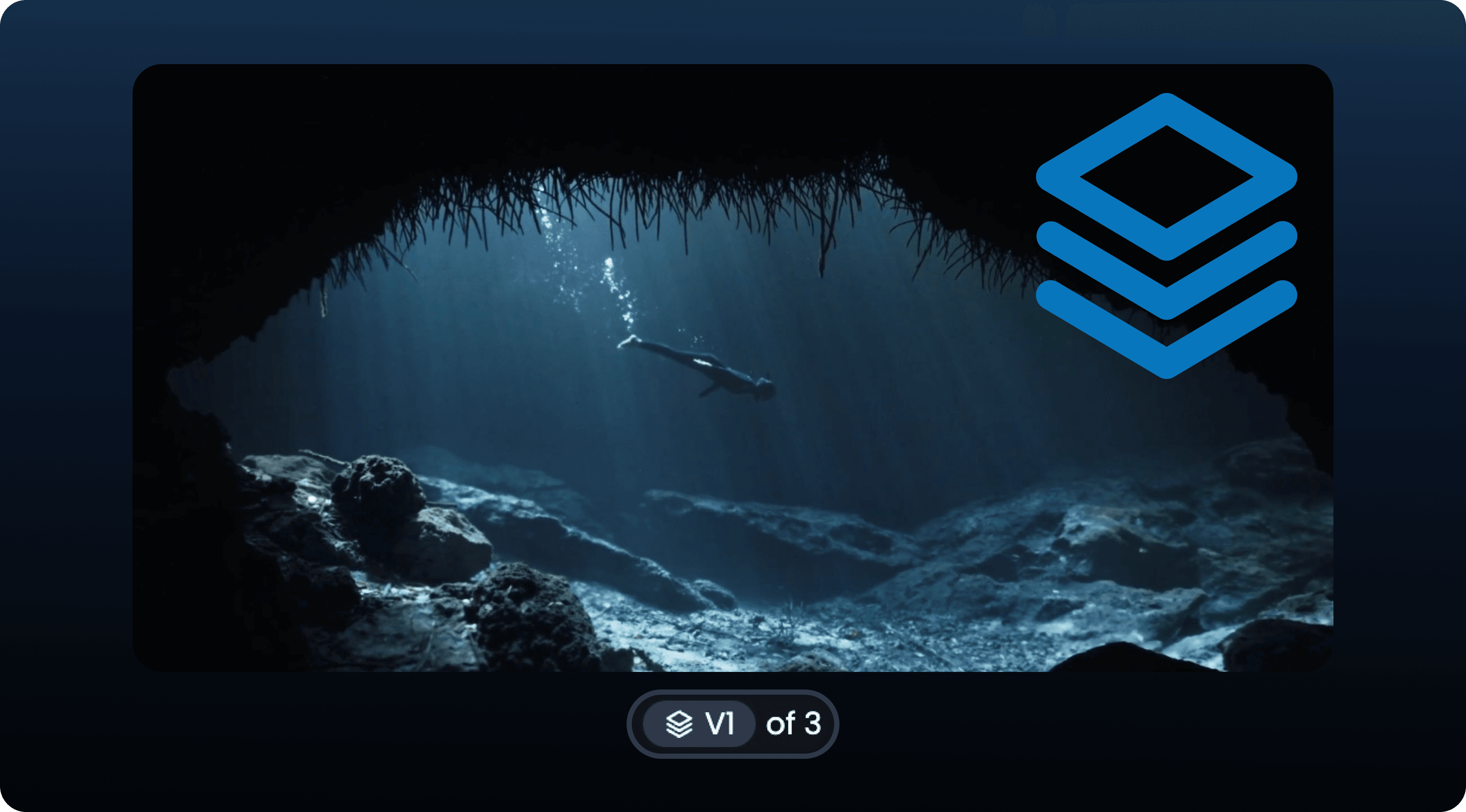
Drag-and-drop one version on top of another to create a Version Stack
Compare Versions together
We went back to the drawing board and looked at ways to bring this feature into a Room. After many iterations, and plenty of internal testing, we finally got it right. Now you can add a Version Stack to a Room, and compare two versions side by side, one above the other, or overlaid, together with your team. Playback is synced, and even dragging the comparison slider across frame will reveal the version below for everyone in the Room, making discussing subtle changes much more intuitive.
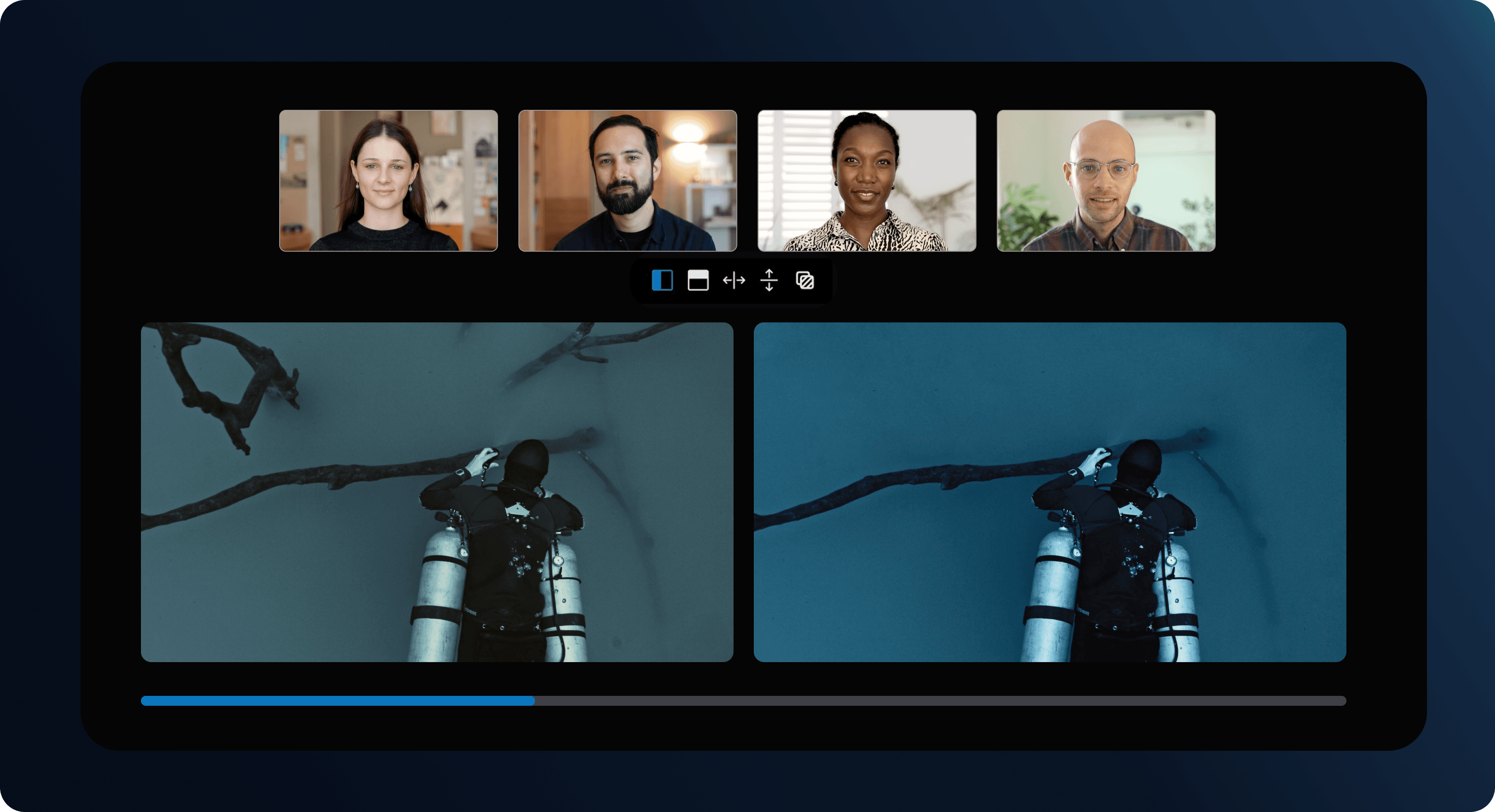
Play two versions side-by-side to compare grade or VFX adjustments
2. Link Analytics
When you share a Review Link or Showcase with clients, it's often difficult to know how they've engaged with the content. Our new Link Analytics tool gives you that visibility. Now you can see if they’ve opened the link, which files they’ve viewed, how much of a video they’ve watched, and whether any items were downloaded or commented on.
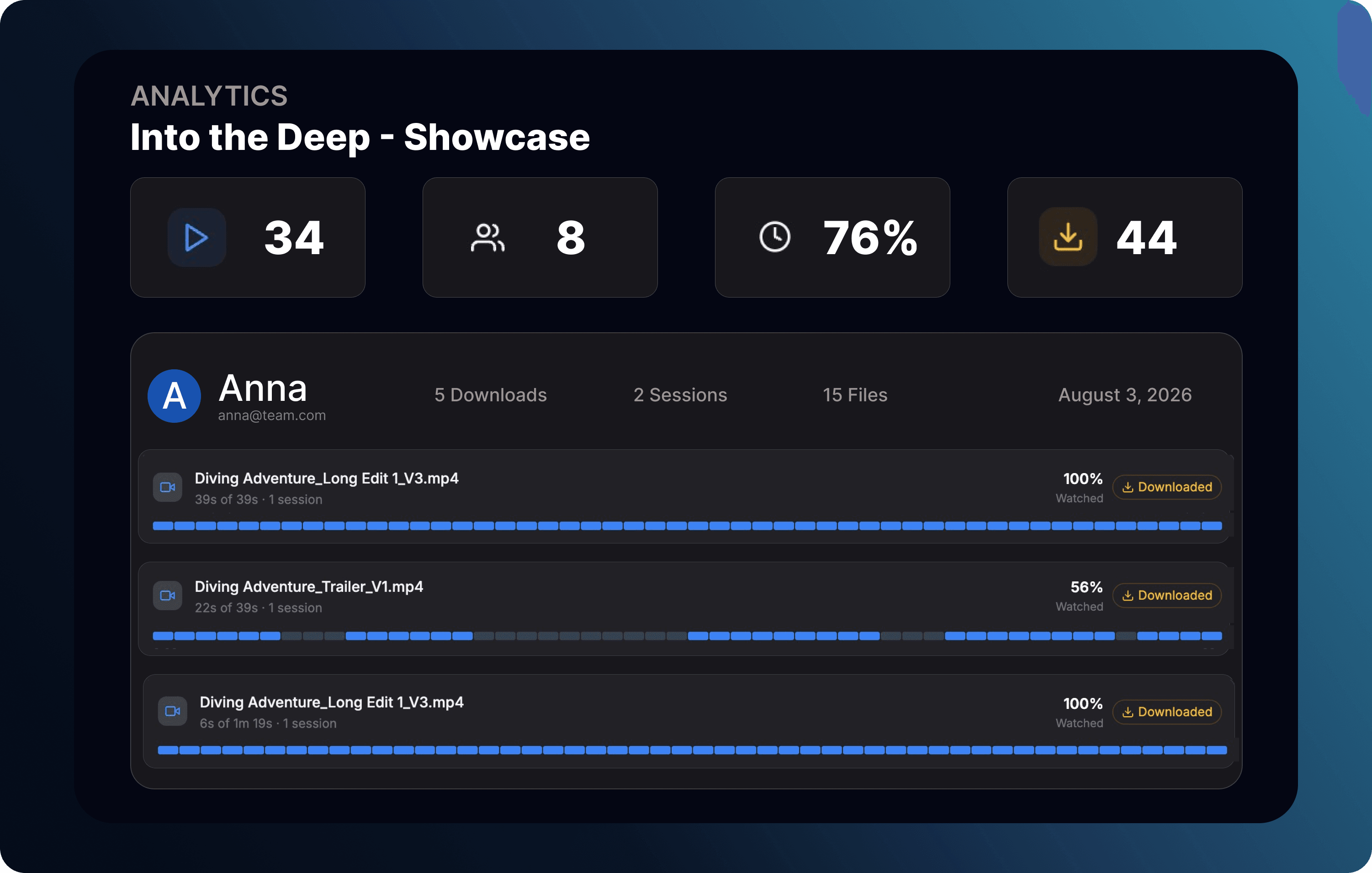
Link Analytics show if your content has been viewed, commented on, or downloaded
You can also view heat-maps of audio or video timelines: to see particular areas of interest, or parts of the edit that were skipped over. Click on the analytics button next to your Review Link or Showcase to access the analytics overview, and drill down on specific viewers or files for more details.
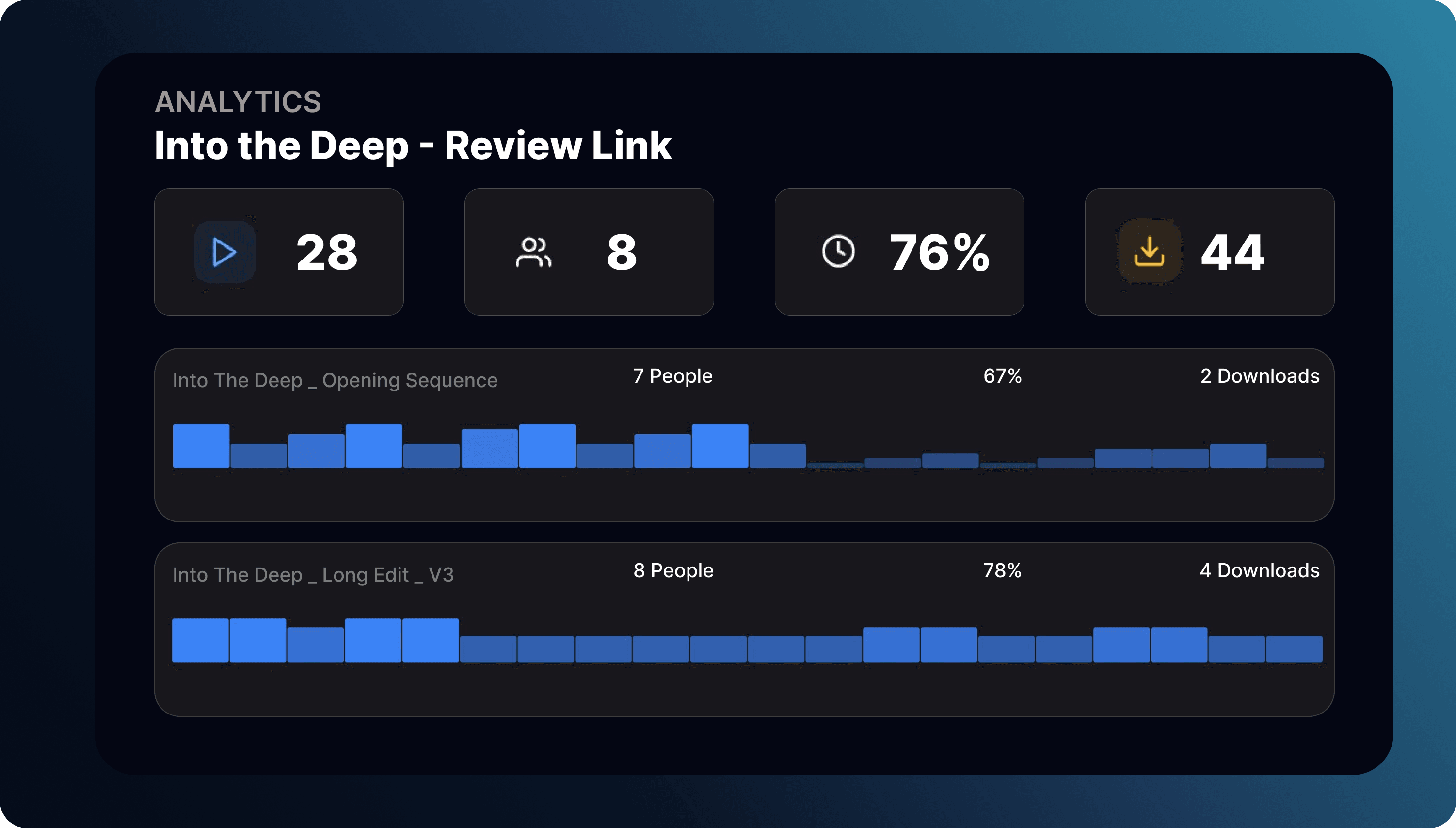
Open individual files to see the viewership heat map
3. PDF downloads of timestamped comments
This is a feature that has been on our roadmap for quite some time, and I’m excited to finally share it. I know VFX teams in particular are going to find this incredibly useful.
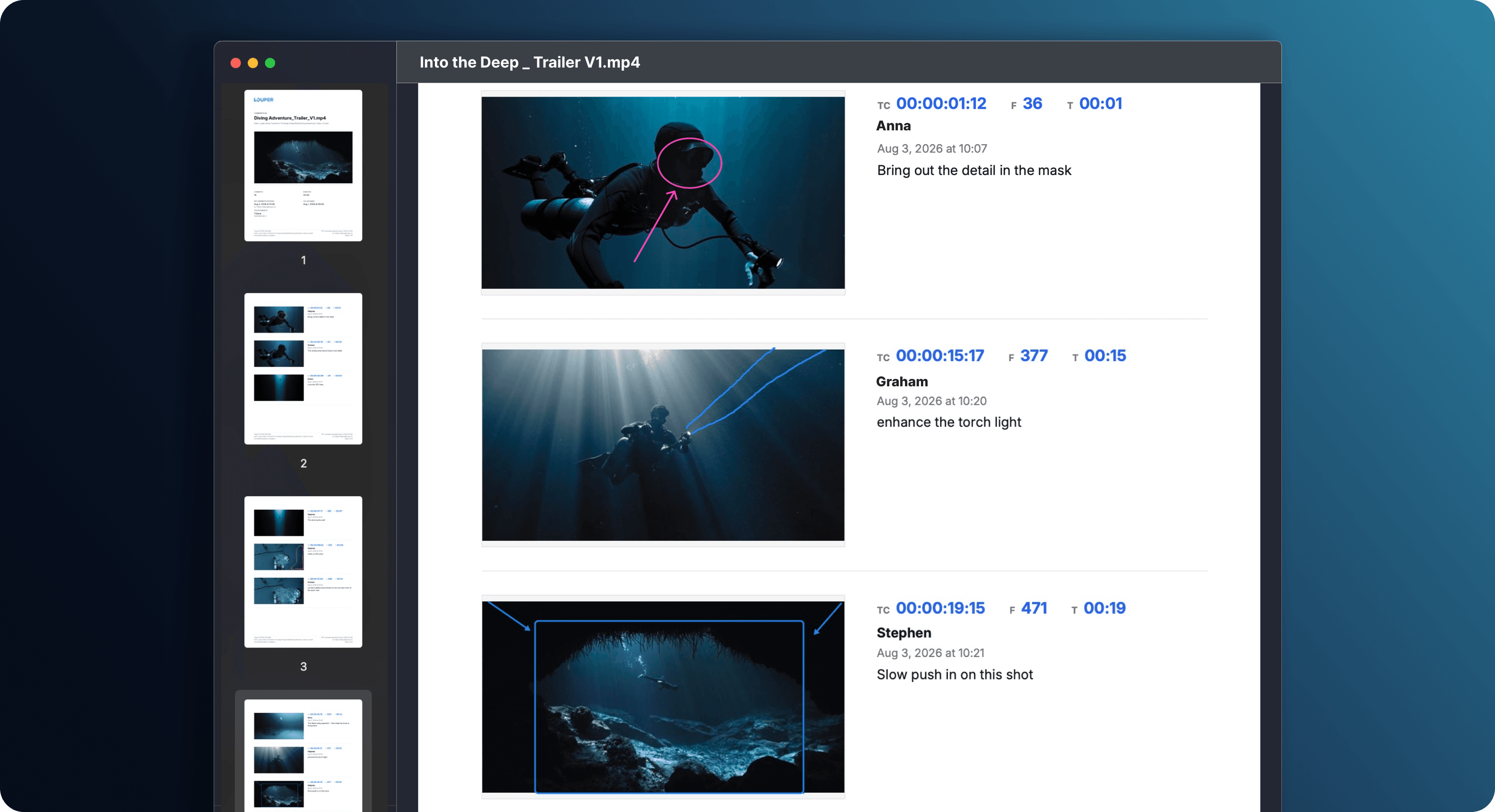
The PDF includes comments, reviewer details and a screenshot of the relevant frame
Now you can download a PDF containing all timestamped comments attached to a file - with screenshots of the corresponding frame. Each comment includes the timecode, reviewer's name, date, and any on-screen annotations, making feedback easy to share, archive, or reference offline.
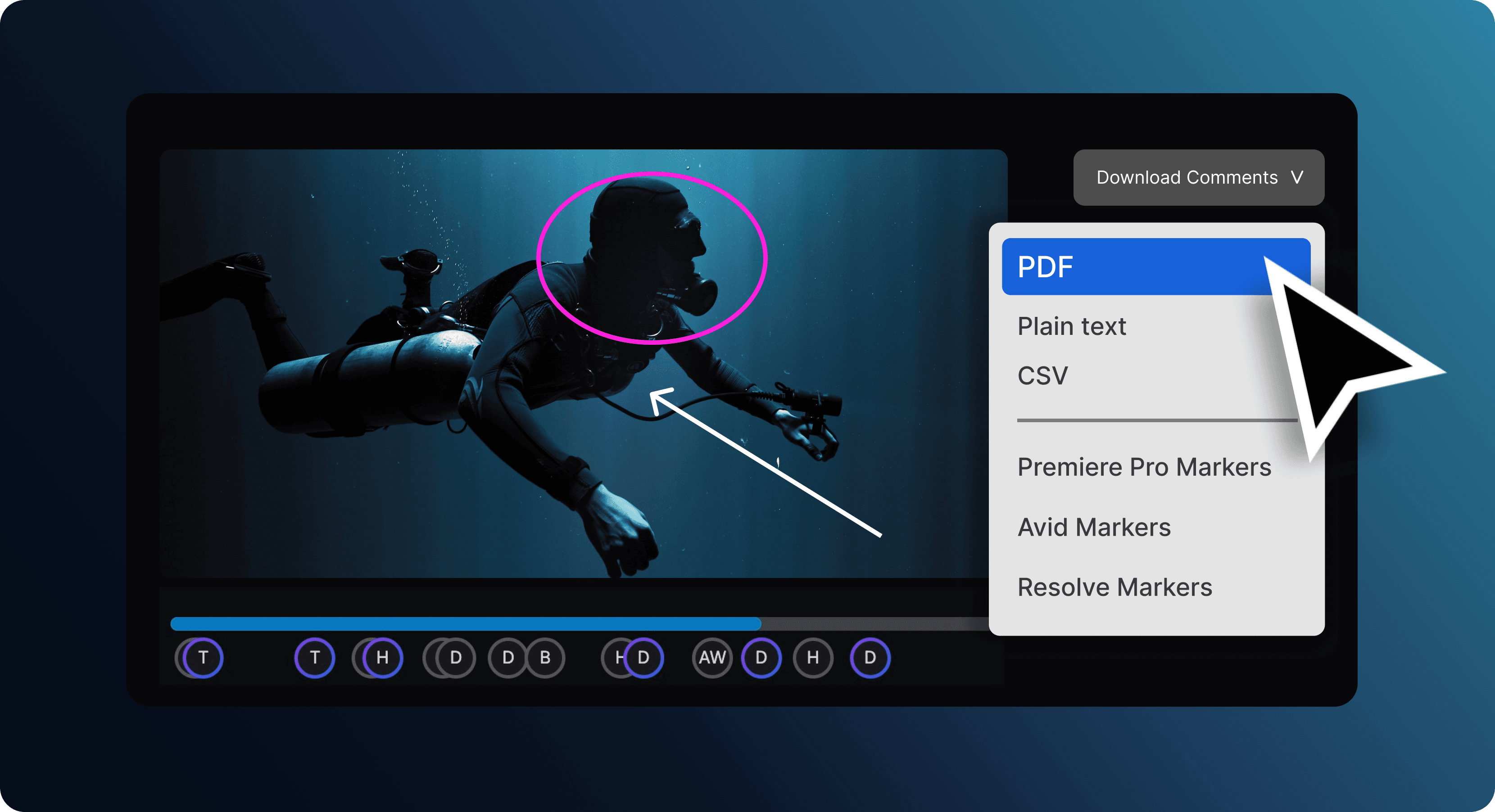
Download a PDF of timestamped comments directly from the file
You can download comments from Rooms, Review Links or the Dashboard. Just open the file, click Download Comments and choose your preferred format. As well as PDFs, timestamped comments can be exported as TXT or CSV files, and as markers for Premiere Pro, Avid Media Composer or DaVinci Resolve.
4. File management updates + more!
If you missed our last product update, you can check out our latest file management improvements, and new Room features like multiple Screenshares and Auto-ducking mic mode on our previous blog.
File management updates: view, move, duplicate and sort files with ease
I hope these updates help your team spend less time managing the process, and more time focusing on the creative work. If you have any feedback to share with us, please email our support team. Many of the improvements we build come directly from conversations with our users, and we’d love to hear from you.

Use Louper to stream and collaborate on live shoots, edit sessions, vfx reviews and more - securely and in seriously high quality.

